UniFi Network Map for Home Assistant
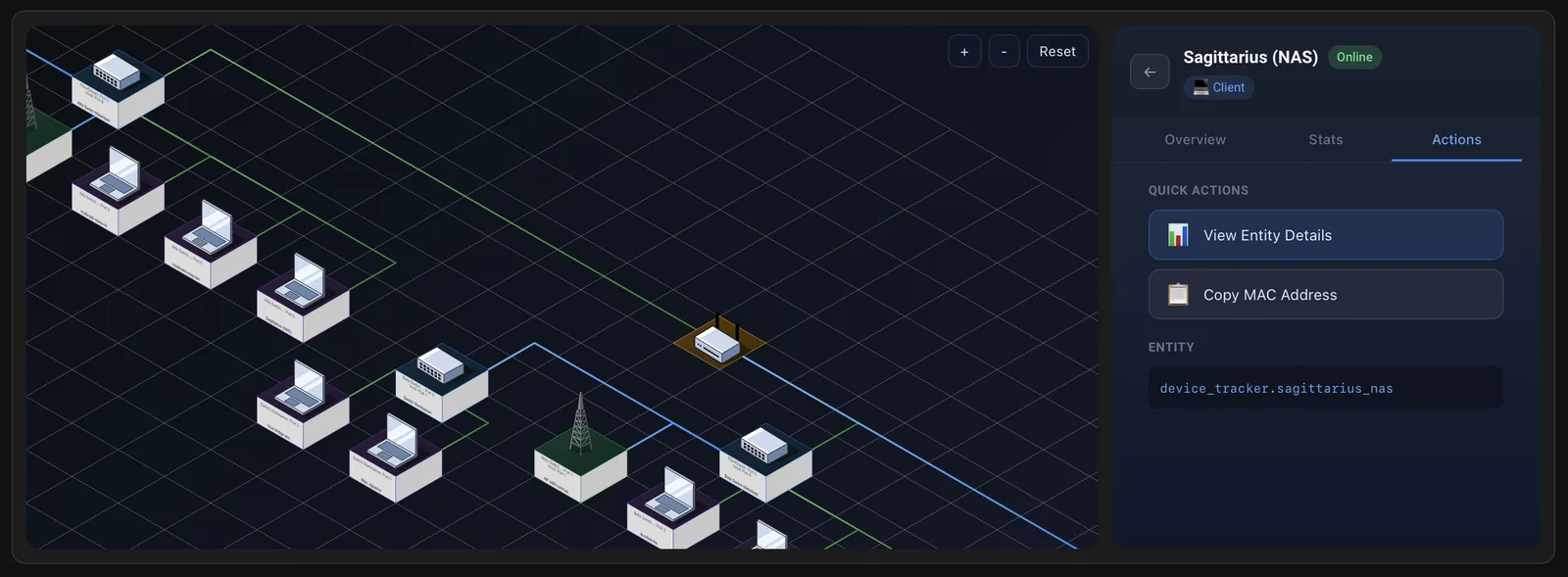
This is my Home Assistant integration that turns UniFi topology data into an interactive, live-updating map. It puts the network next to my automations, so I can see what is connected without leaving Home Assistant.
Why I built it
The UniFi dashboard is great for day-to-day administration, but I wanted the topology view embedded in Home Assistant for quick context while working on automations and device health. The goal was a clear, at-a-glance map that feels at home in HA.
What it does
Interactive topology
Renders a live SVG network map with gateway, switches, access points, and client devices. You can pan and zoom, and the map updates without page refreshes.
Real-time updates
Updates arrive over a WebSocket, so link changes show up as they happen.
Links to entities
Every node can link to its Home Assistant entity from the official UniFi integration, which has the details and controls.
Built for daily use
It has several themes, works on a phone, and has device filters to narrow the map down to one part of the network.
Requirements
The integration talks directly to the UniFi Network Application API, which means a local controller and a local user account are required. It targets Home Assistant 2024.12 or newer.
See also The live demo UniFi Topology, the library behind it Tech lineage